
Anki alternatives: what survives the move and what it costs
Six Anki alternatives compared on 3 November 2026, including Kardo, our app: review history, media, prices and offline study after the move.
Reviewed by Kirill Oleinichenko ·
Published 14 min read
On this page
If you have a large Anki deck and a review habit that works, stay on Anki. If you want to leave and keep your review history, Mochi and RemNote are the two apps here that say they import it. If your real problem is getting the words from your lessons onto cards in the first place, that is the job Kardo was built for. Kardo publishes this page and competes with every app on it, so we checked it against the same criteria as the others, and it loses on several. It has no Android or desktop app, and its iPhone app is not out yet. The web app does not work offline. Cards carry no images or audio. Its scheduler runs on default settings you can't adjust. And an Anki deck moves into Kardo without its review history, so every card is new again.
Checked on 3 November 2026. Every fact about another app comes from that company's own website or App Store listing, and each one has a footnote with the link. Prices change by country and by store, so open the link before you pay.
How we compared
We looked at six apps (Anki, Quizlet, Mochi, Brainscape, RemNote and Kardo) on the same five questions:
- Moving your deck: does the app import an Anki file, does your review history come with it, and how do you get your cards out again?
- Price: what the free plan covers, what the paid plan costs, and what the iPhone app costs.
- Where you can study: platforms, and whether study works offline.
- Making cards: by hand, by import, or generated.
- Scheduling: which algorithm, and whether you can tune it.
The cells are plain text with a source for each. There are no scores and no overall ranking, because which criterion matters depends on your situation.
Which situation are you in?
You have a big Anki deck and a review habit that works. Stay. No other app here gives you all three: free desktop and Android apps, a scheduler fitted to your own review history, and an export that carries everything, schedule and media included.12
Making the cards is the hard part. You take lessons or watch videos in the language, and the words you come across never become cards because making them takes an evening. Several apps now generate cards for you. Quizlet makes them from notes and uploads, RemNote from text and PDFs (its Pro with AI plan adds a lecture recorder), and Brainscape and Mochi have AI generation too.3456 Three things are specific to Kardo:
- a bot joins your live lesson on Zoom, Google Meet or Teams;
- the cards are made for your language pair, of three kinds: vocabulary, constructions and grammar examples;
- words already in your deck are skipped.7
A sensible arrangement is to keep reviewing your mature Anki deck in Anki and let Kardo handle what you learn from now on.
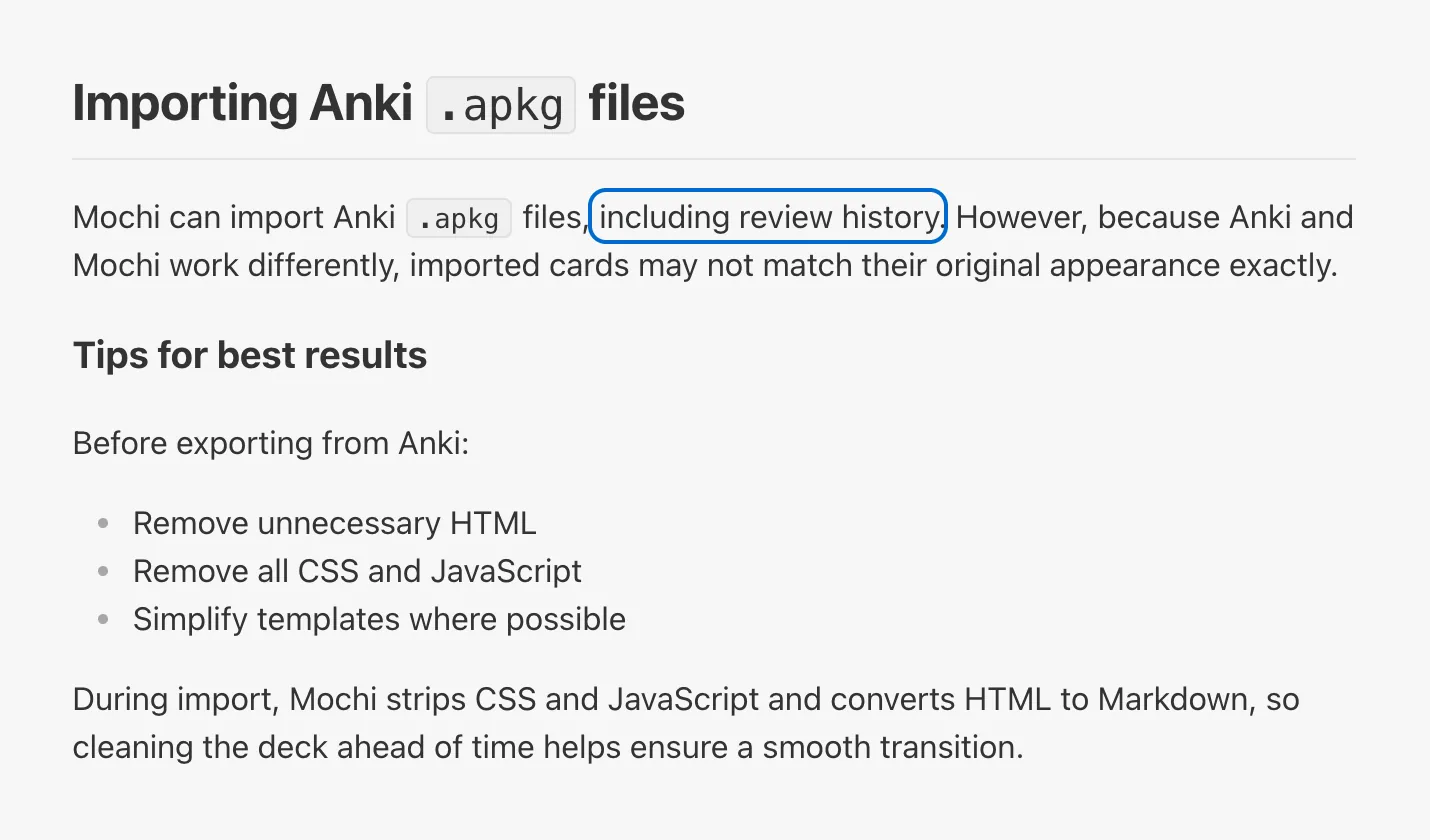
You want to leave Anki and keep your history. Look at Mochi or RemNote. Both import .apkg files and say your review history comes with the cards.89 Mochi is the closer match for Anki. It works offline on Mac, Windows, Linux, iOS and Android, has a web version, and is free with unlimited cards. Sync needs Pro, at $5 a month billed annually.410 RemNote is a notes app with flashcards built in.
You're deciding between Anki and Quizlet. See the Anki or Quizlet section below.
Moving your Anki deck: what comes with you
| App | Import from Anki | Review history | Getting your cards out again |
|---|---|---|---|
| Anki | Not applicable | Not applicable | .apkg or .colpkg with schedule and media, or plain text2 |
| Quizlet | No .apkg import; you paste text on the website11 | Not carried | A text copy of sets you made, without images; sets you copied from others can't be exported12 |
| Mochi | .apkg; card styling (CSS and JavaScript) is stripped, and Mochi warns cards may look different8 | Mochi says review history is imported8 | .mochi with history, or Markdown and CSV13 |
| Brainscape | No direct import: export a text file from Anki, then use Brainscape's AI bulk import14 | Not carried; a text file has no schedule in it | Pro only, as spreadsheet files15 |
| RemNote | .apkg with media and most note types; CSS and JavaScript are not imported9 | RemNote says review history is imported9 | RemNote's own format, OPML, HTML, Markdown, text, or an Anki export of flashcards only16 |
| Kardo | .apkg from older and current Anki versions, up to 100 MB and 20,000 cards at a time; media, tags and whole-collection .colpkg files stay behind7 | Not carried: every card starts as new7 | TSV (the button says "CSV (Anki)"), TXT, JSON or Markdown; no .apkg17 |
What Anki still does better
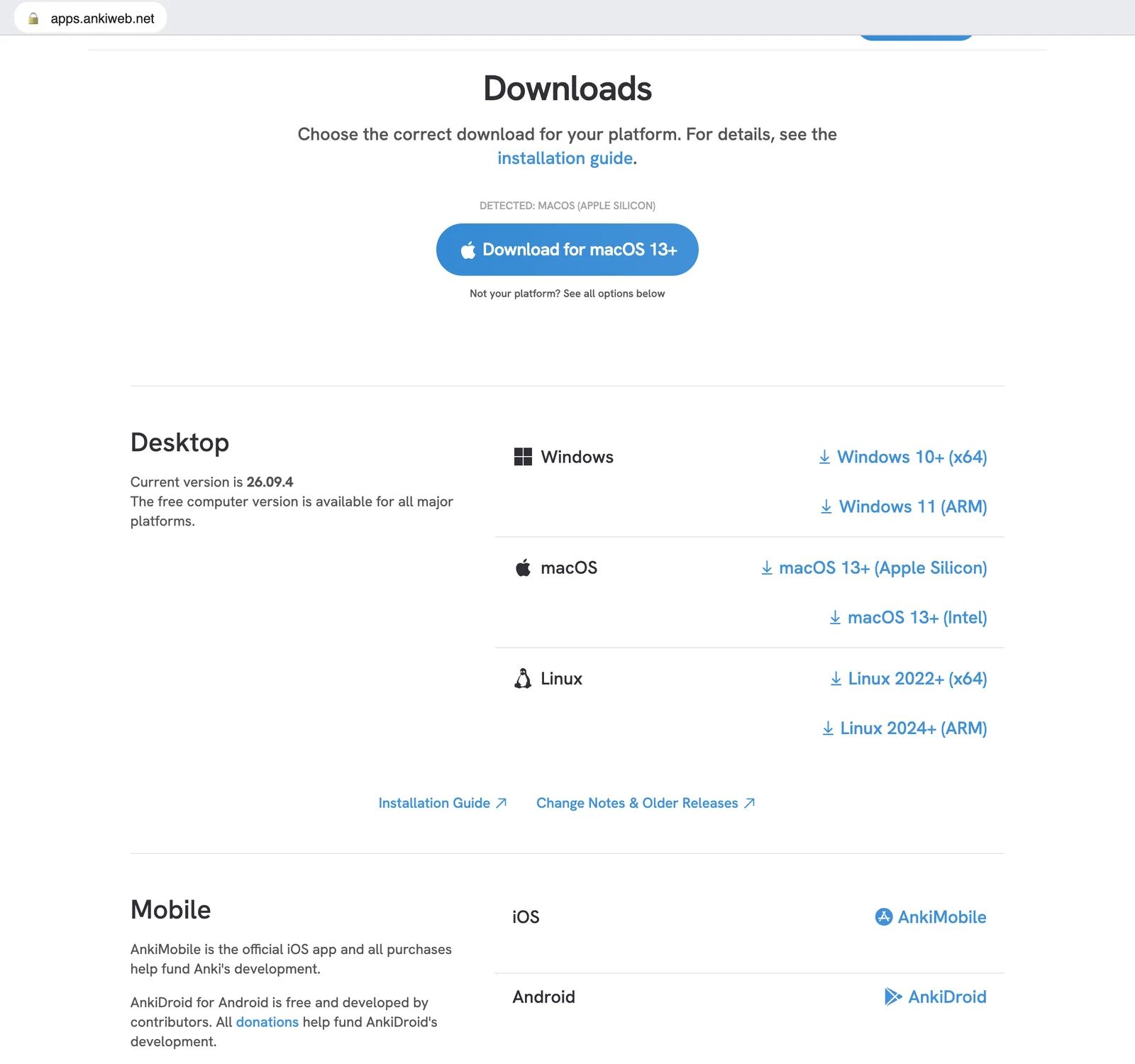
It costs almost nothing. Anki for Windows, macOS and Linux, AnkiDroid for Android, and AnkiWeb sync are free.18 AnkiMobile for iPhone and iPad is a one-time $24.99.19 Kardo's free plan has monthly limits, and its paid plans are subscriptions.20 The full price breakdown by platform covers what is free, what AnkiWeb limits and why the iPhone app is paid.
Your history is yours. Anki can export a deck (.apkg) or the whole collection (.colpkg) with the schedule and the media inside.2 If you ever leave, you leave with years of reviews intact.
You can tune the scheduler. Since version 23.10 Anki offers FSRS as an alternative to its older default algorithm. Its optimizer fits the parameters to your own review history, and you choose the retention you're aiming for.1 Kardo schedules with FSRS too, but with default parameters. It has no optimizer and no retention setting, so the parameters are not fitted to you and there is nothing to tune.7 We don't claim a better algorithm than Anki's.
Offline study, add-ons, media. AnkiMobile keeps media on the device and works without a connection.19 The desktop app takes add-ons, though they don't run on mobile.1819 Kardo has none of the three.
Making cards by hand: a cost and a benefit
In Anki you make every card yourself, import cards from a text file, or take them from a shared deck.1821 That costs time. It is also part of learning. In six experiments, Pan and colleagues found that students who made their own digital flashcards did better on a test two days later than students given premade cards, both at remembering the material and at applying it.22 Kardo saves you that evening, but it also skips that step. The participants were undergraduates learning from text passages, not language learners, and Kardo's cards come from your own lessons, which may narrow the gap. Nobody has tested that. You can add and edit cards by hand in Kardo, but if you mostly keep the generated ones as they are, you skip the step this study measured.
Where Anki costs you
Reviews grow with the deck. Anki's own manual estimates that 20 new cards a day lead to roughly 200 reviews a day. When you fall behind, it advises you to stop adding new cards until you catch up.1 Switching apps doesn't change that arithmetic. Kardo shows no overdue count, and a due card stays due until you review it.
The best settings are off by default. FSRS is off until you switch it on. The optimizer works best after several hundred reviews and should be re-run about once a month.1
What it costs
| App | Free | Paid | iPhone |
|---|---|---|---|
| Anki | Desktop (Windows, macOS, Linux), AnkiDroid and AnkiWeb sync are free18 | No subscription | AnkiMobile, $24.99 once19 |
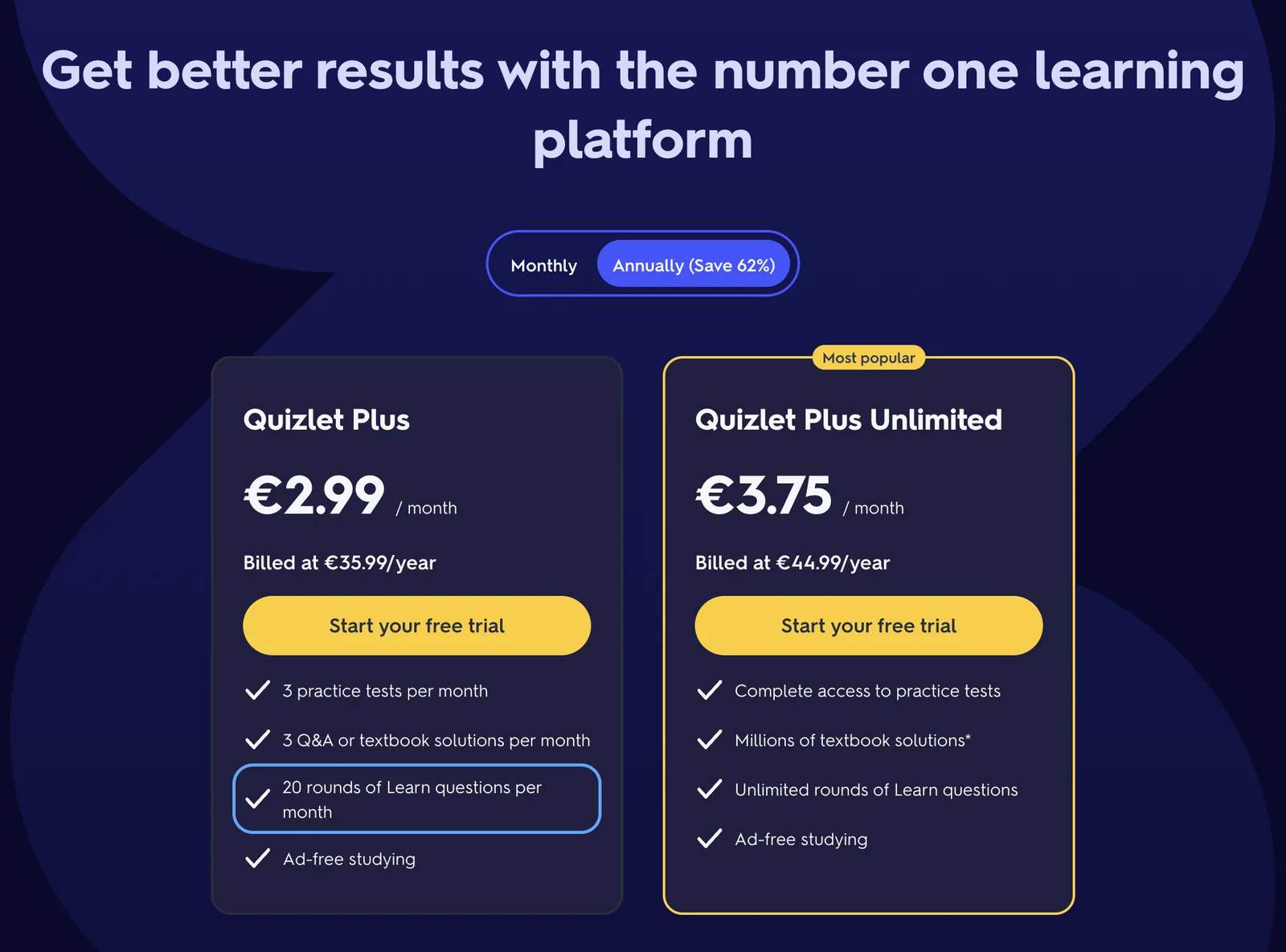
| Quizlet | Flashcards and practice questions; Learn, Test, Study Guides and offline need a plan23 | Plus €35.99 a year, with 20 rounds of Learn and 3 practice tests a month; Plus Unlimited €44.99 a year, with unlimited Learn (EU site)24 | Free app; in-app purchases of $9.99 and $44.99, billing periods not stated3 |
| Mochi | Unlimited cards and offline study; no sync4 | Pro $5 a month billed annually; Mochi says yearly billing saves $12 a year4 | Free app; no in-app prices listed25 |
| Brainscape | Basic is free; images and sound on cards, reverse cards and unlimited AI are Pro only6 | Pro: the website shows $7.99 a month next to a "Year" label6 | $19.99 a month, $59.99 for 6 months, $95.99 a year, $199.99 lifetime26 |
| RemNote | Unlimited notes and flashcards; 250 AI credits a month5 | Pro $8 a month billed yearly ($96); Pro with AI $18 a month billed yearly ($216)5 | Free app; Pro $14.99 a month or $149.99 a year, Pro + AI $29.99 a month or $299.99 a year27 |
| Kardo | 3 recorded lessons in total; per month 20 text and file imports, 20 video, 5 audio and 10 photo imports; 1,000 cards20 | Starter €8 a month or €80 a year (5,000 cards); Plus €15 a month or €149 a year (no card limit)20 | Coming soon to the App Store |
Where you can study
| App | Platforms | Offline |
|---|---|---|
| Anki | Windows, macOS, Linux, iOS, Android18 | Yes; AnkiMobile keeps media on the device19 |
| Quizlet | Web, iOS, Android28 | In the mobile apps only, listed as a subscription feature2328 |
| Mochi | Mac, Windows, Linux, iOS, Android, plus a web version10 | Yes, on the free plan, in the Mac, Windows, Linux, iOS and Android apps4 |
| Brainscape | Web, iOS, Android29 | In the mobile apps, after you download the decks; creating and editing need a connection29 |
| RemNote | Windows, macOS, Linux, iOS, Android, web30 | "Offline Mode" is listed; the plan it belongs to is not stated530 |
| Kardo | Web (kardo.cards); iPhone app coming soon; no Android or desktop app7 | No; the web app needs a connection7 |
How cards get made and scheduled
| App | Making cards | Scheduling |
|---|---|---|
| Anki | By hand, from a text file, or from shared decks1821 | Its older algorithm by default; FSRS is opt-in, with a personal optimizer and a target-retention setting1 |
| Quizlet | By hand; paste-import on the website; AI makes cards and study guides from notes and uploads311 | Its own Learn mode; the App Store listing says it uses spaced repetition3 |
| Mochi | Markdown editor, import, AI with a monthly token limit4 | Mochi's own algorithm by default; FSRS is optional, with a target-retention setting and no built-in optimizer31 |
| Brainscape | By hand, file import, AI generation614 | "Confidence-Based Repetition": you rate each card 1 to 526 |
| RemNote | Cards are built inside your notes; AI makes cards from text and PDFs; Pro with AI adds a lecture recorder5 | SM-2 or FSRS, which RemNote calls FSRS v632 |
| Kardo | AI extraction from lesson recordings (the bot joins Zoom, Google Meet or Teams), pasted text and files, video links, audio, photos and messages to the Telegram bot; cards by hand too7 | FSRS with default parameters, no optimizer and no retention setting; each card's two directions (word to translation and back) are scheduled separately7 |
Anki or Quizlet
For a long-term vocabulary deck, Quizlet is the weakest option to move to. It can't import .apkg files; you paste text on the website instead.11 It exports only sets you made yourself, and only as text, without images.12 Learn, Test and offline study need a subscription,23 and on Plus, Learn is capped at 20 rounds a month.24
Quizlet has its strengths: a web version, iOS and Android apps, and AI that makes cards and study guides from your notes.328 If your deck already lives in Anki, though, moving it to Quizlet means pasting it in as text, and your review history stays behind.
What Kardo does differently
Kardo was built for one job: learning a language from the material you already have. Invite the bot to a lesson on Zoom, Google Meet or Teams, and after the call you get three kinds of cards: vocabulary, constructions and grammar examples, each with the sentence it came from. The same works for pasted text, documents, YouTube and other video links, audio files, screenshots, and messages to the Telegram bot. When you add new material, words already in your deck are skipped, so a second lesson on the same topic doesn't give you cards you already have.7

Each card is reviewed in both directions, and FSRS schedules the two separately. Recognizing despertarse as "to wake up" and producing despertarse when you need it are separate skills, so the two are tracked separately.7 Kardo also never shows an overdue count: a card you skip stays due and simply comes up in your next session.
Moving a deck into Kardo
On the web, the import is in Settings → Data. You choose the decks, tell Kardo which field is the word, which is the translation and which is the example sentence, and a preview shows what will come over, including how many media files will be left behind.7

What to know before you start:
- Storage. The free plan holds 1,000 cards, and an import that doesn't fit is refused as a whole. A typical multi-thousand-card collection needs Starter (5,000 cards) or Plus (no limit).207
- Quota. Each import uses one of the free plan's 20 monthly text and file imports, however many cards it brings. It does not use a recorded lesson.207
- Schedule. Every imported card starts as new, so a deck you've reviewed for three years starts over from zero. If that sounds wrong for your oldest decks, leave them in Anki.
- Tags are dropped, and the import doesn't warn you about it.7
- Sub-decks become separate lessons named like
Spanish::Vocabulary. The hierarchy isn't kept.7 - Importing the same file twice creates every card twice. Duplicates are only caught inside one file.7
The step-by-step guide to importing an Anki deck covers field mapping and the preview in detail.
FAQ
Is Anki free?
Anki for Windows, macOS and Linux, AnkiDroid for Android, and AnkiWeb sync are free. AnkiMobile for iPhone and iPad costs $24.99 once.1819 Apps called AnkiApp (now AlgoApp) and Anki Pro (now Noji) are not Anki. Anki's own FAQ says they were made by different developers and don't work with Anki's apps.33
Why does Anki cost $24.99 on iPhone?
According to Anki's FAQ, AnkiMobile pays for the free desktop version and the sync service. One purchase covers up to five iOS devices on the same Apple ID and works with Family Sharing.34
What are good Anki alternatives on iPhone?
If you want to keep your review history, Mochi and RemNote both have iPhone apps and say their .apkg import brings it over.258927 Mochi is free with unlimited cards and works offline; sync needs Pro.4 Quizlet and Brainscape also have iPhone apps, but an Anki deck reaches them as text, without its history.3112614 Kardo's iPhone app is coming soon; for now Kardo runs in the browser on kardo.cards.7
FSRS or SM-2?
Anki uses an SM-2-based algorithm by default and offers FSRS as an option since version 23.10.1 Mochi offers FSRS as an option.31 RemNote lets you choose either.32 Kardo uses FSRS with standard parameters and caps intervals at one year.7 We did not find a current independent study showing that one of them helps you learn more, so we don't rank them.
Can I go back to Anki?
Your cards, yes. Kardo exports a tab-separated file (labeled "CSV (Anki)"), TXT, JSON and Markdown, and Anki can import text files.1721 Your Kardo review history stays in Kardo: the exports carry the cards only, without the schedule.17
What we could not check
- Quizlet's billing periods in the App Store, and its prices outside the EU website.
- Whether Brainscape's $7.99 is the yearly plan divided by twelve. The website doesn't say.
- Mochi's price with monthly billing. The pricing page shows only the annual rate.
- Whether Mochi's import brings media over. Its import page doesn't say either way.
- History import for Mochi and RemNote: we report what their documentation says. We did not run an import ourselves.
Change log
- 2026-11-10 — first version (facts checked 3 November 2026).
Sources
-
Anki manual, deck options (FSRS, daily limits): https://docs.ankiweb.net/manual/deck-options ↩︎ ↩︎ ↩︎ ↩︎ ↩︎ ↩︎
-
Anki manual, exporting: https://docs.ankiweb.net/manual/exporting ↩︎ ↩︎ ↩︎
-
Quizlet, App Store (US): https://apps.apple.com/us/app/quizlet-ai-study-flashcards/id546473125 ↩︎ ↩︎ ↩︎ ↩︎ ↩︎ ↩︎
-
Mochi, pricing: https://mochi.cards/pricing ↩︎ ↩︎ ↩︎ ↩︎ ↩︎ ↩︎ ↩︎
-
RemNote, pricing: https://www.remnote.com/pricing ↩︎ ↩︎ ↩︎ ↩︎ ↩︎
-
Brainscape, pricing: https://www.brainscape.com/pricing ↩︎ ↩︎ ↩︎ ↩︎
-
Kardo is our product. These facts come from our product documentation and were checked on 3 November 2026. ↩︎ ↩︎ ↩︎ ↩︎ ↩︎ ↩︎ ↩︎ ↩︎ ↩︎ ↩︎ ↩︎ ↩︎ ↩︎ ↩︎ ↩︎ ↩︎ ↩︎ ↩︎
-
Mochi docs, importing: https://mochi.cards/docs/import-and-export/importing/ ↩︎ ↩︎ ↩︎ ↩︎
-
RemNote Help, importing from Anki: https://help.remnote.com/en/articles/6751471-importing-from-anki ↩︎ ↩︎ ↩︎ ↩︎
-
Mochi, home page (platforms and web version): https://mochi.cards/ ↩︎ ↩︎
-
Quizlet Help, creating sets by importing content: https://help.quizlet.com/hc/en-us/articles/360029977151-Creating-sets-by-importing-content ↩︎ ↩︎ ↩︎ ↩︎
-
Quizlet Help, exporting your sets: https://help.quizlet.com/hc/en-us/articles/360034345672-Exporting-your-sets ↩︎ ↩︎
-
Mochi docs, exporting: https://mochi.cards/docs/import-and-export/exporting/ ↩︎
-
Brainscape Help, importing Quizlet or Anki decks: https://brainscape.zendesk.com/hc/en-us/articles/115002370391-Can-I-import-my-Quizlet-or-Anki-decks-into-Brainscape ↩︎ ↩︎ ↩︎
-
Brainscape Help, exporting a backup of your flashcards: https://brainscape.zendesk.com/hc/en-us/articles/115002383872-How-can-I-export-a-backup-of-my-flashcards ↩︎
-
RemNote Help, exporting and printing notes: https://help.remnote.com/en/articles/7898019-exporting-notes ↩︎
-
Kardo, exporting your flashcards: https://kardo.cards/blog/export-flashcards-anki-csv ↩︎ ↩︎ ↩︎
-
Anki, download page: https://apps.ankiweb.net/ ↩︎ ↩︎ ↩︎ ↩︎ ↩︎ ↩︎ ↩︎
-
AnkiMobile Flashcards, App Store (US): https://apps.apple.com/us/app/ankimobile-flashcards/id373493387 ↩︎ ↩︎ ↩︎ ↩︎ ↩︎ ↩︎
-
Anki manual, importing text files: https://docs.ankiweb.net/importing/text-files.html ↩︎ ↩︎ ↩︎
-
Pan, Zung, Imundo, Zhang, Qiu. "User-generated digital flashcards yield better learning than premade flashcards." Journal of Applied Research in Memory and Cognition 12, 574–588: https://doi.org/10.1037/mac0000083 ↩︎
-
Quizlet Help, subscribing to Quizlet: https://help.quizlet.com/hc/en-us/articles/360041181691-Subscribing-to-Quizlet ↩︎ ↩︎ ↩︎
-
Quizlet, upgrade page (EU prices): https://quizlet.com/upgrade ↩︎ ↩︎
-
Mochi Cards, App Store (US): https://apps.apple.com/us/app/mochi-cards/id1507775056 ↩︎ ↩︎
-
Brainscape, App Store (US): https://apps.apple.com/us/app/brainscape-smart-flashcards/id442415567 ↩︎ ↩︎ ↩︎
-
RemNote, App Store (US): https://apps.apple.com/us/app/remnote-notes-flashcards/id1545429784 ↩︎ ↩︎
-
Quizlet Help, studying offline: https://help.quizlet.com/hc/en-us/articles/360030565412-Studying-offline-with-Quizlet-mobile-apps ↩︎ ↩︎ ↩︎
-
Brainscape Help, do I need WiFi or a 4G/LTE connection: https://brainscape.zendesk.com/hc/en-us/articles/360001017252-Do-I-need-WiFi-or-a-4G-LTE-connection ↩︎ ↩︎
-
RemNote, download: https://www.remnote.com/download ↩︎ ↩︎
-
Mochi docs, FSRS: https://mochi.cards/docs/reviewing/fsrs/ ↩︎ ↩︎
-
RemNote, FSRS: https://www.remnote.com/feature/fsrs ↩︎ ↩︎
-
Anki FAQ, Anki knockoffs: https://docs.ankiweb.net/faqs/anki-knockoffs ↩︎
-
Anki FAQ, why AnkiMobile costs more than a typical mobile app: https://docs.ankiweb.net/faqs/why-does-ankimobile-cost-more-than-a-typical-mobile-app ↩︎
Kirill Oleinichenko
Turn your next lesson into cards
Keep your Anki deck where it is. Send the Kardo bot to one lesson, or paste a video link, and look at the cards that come back before you decide anything. The free plan includes three recorded lessons in total.
Start free