
Free AI flashcard maker for language learning
Kardo turns lessons, texts, videos, audio and photos into vocabulary cards in your language pair. Real output, free limits, and when to use another tool.
Reviewed by Kirill Oleinichenko ·
Published 12 min read
On this page
An AI flashcard maker reads material you give it and writes the flashcards for you, so you don't have to type them. Most AI flashcard makers are built for exam study and turn a PDF or lecture notes into questions about the content. Kardo is an AI flashcard maker for learning a language. It takes a recorded lesson, a text or file, a YouTube or other video link, an audio file, photos or screenshots, or a message to its Telegram bot, and makes cards in your language pair. Each card has a word, phrase, construction or grammar example in the language you're learning, a translation into your own language, an example sentence and an estimated CEFR level. Reviews are scheduled with spaced repetition. The free plan includes 20 text imports and 20 video imports a month and has room for 1,000 cards. We make Kardo, so below we show real output from our own tests, what the generator gets wrong, and when another tool is the better choice.
- Kardo fits when the material is in the language you're learning and you want its vocabulary in a review deck: lessons, videos, articles, podcasts, a photographed textbook page.
- General AI flashcard generators such as Limbiks, StudyCards AI, Brainscape, Quizlet or RemNote fit a biology PDF, lecture slides or exam notes. They write questions about the content; Kardo doesn't.
- A chatbot such as ChatGPT can write a word list with translations for one text. You then copy it into a flashcard app yourself, and the chat schedules no reviews.
What an AI flashcard maker does
You give the tool some source material. A language model reads it, picks what is worth learning and writes the front and back of each card. A complete tool then schedules the cards for review, so each card comes back around the time you would start to forget it.
There are two families. Study generators turn content into questions: "What does the mitochondrion do?" on the front, the answer on the back. Some also make fill-in-the-blank (cloze) cards, multiple-choice questions or image-occlusion cards that hide labels on a diagram.12 Language flashcard makers put one word or phrase of a language on each card, with its translation and an example of it in use. Which one you need depends on what you're learning: facts about a subject, or the words of a language.
When we pulled Google's US results for "ai flashcard maker" on 3 November 2026, the first page showed study tools (Limbiks, StudyCards AI, Kahoot, Atlas and Brainscape among them) and a Reddit thread from students. None of the pages we opened described cards with a translation into your own language.

How to make flashcards with Kardo
- Sign up and set your language pair. Choose the language you're learning and your own language. Kardo supports 42 languages and works with any pair of them. At sign-up it also asks about your level, why you're learning, your work and your interests; it uses those answers to rank which words matter most to you and to write examples around your topics. You can change them later in Settings.
- Pick a source. On the dashboard, choose what you're adding. The table below lists every source and what the free plan allows.
- Wait for the cards. The lesson shows up in your list right away, and the cards appear in it once processing finishes. In our tests a five-minute YouTube video took 68 to 79 seconds. Cards from a recorded call arrive by email a few minutes after the call ends.
- Review, and delete what you don't need. Kardo tends to make more cards than you need. Words already in your Kardo deck, spelled the same way, are skipped. You can edit or delete a card in the middle of a review.
| Source | How it gets into Kardo | Free plan |
|---|---|---|
| Live lesson on Zoom, Google Meet or Teams | Add [email protected] to the calendar invite, or paste the meeting link. The bot listens and the cards come after the call | 3 recorded lessons in total |
| Text or a file | Paste text, or upload a .txt, .pdf, .docx, .md or .json file up to 10 MB | 20 a month |
| Video link | A YouTube, Instagram, TikTok, X or Facebook link | 20 a month |
| Audio file | MP3, WAV, M4A, OGG, WebM or FLAC, up to 100 MB | 5 a month |
| Photos and screenshots | Up to 10 PNG, JPG or WebP images per import, 10 MB each | 10 a month |
| Telegram | Send the Kardo bot a text, photo, voice note, audio file, document or link | Counts against the same allowances |
| Anki deck | An .apkg file up to 100 MB and 20,000 cards | Counts as a text import |
You can also add cards by hand, with no limit. The lesson bot is covered in how to get flashcards from your online lessons, video links in YouTube to flashcards, and Anki decks in importing an Anki deck.

What the cards look like
On 3 November 2026 we ran TED-Ed's "The benefits of a bilingual brain" (5:04, with English captions) through Kardo for a Spanish speaker learning English. It produced 74 cards in 68 seconds. Here are five of them as Kardo saved them; we did not edit them. The type is shown as Kardo saved it.
| Front | Type | Back | Example on the card |
|---|---|---|---|
| it's never too late to | construction | nunca es demasiado tarde para | It's never too late to learn a new language and benefit your brain. |
| to be classified into | construction | clasificarse en | Bilinguals can be classified into three general types. |
| regardless of | phrase | independientemente de / sin importar | They can become proficient regardless of accent or pronunciation. |
| to confront a problem | verb | enfrentarse a un problema | They take a more rational approach when confronting problems in a second language. |
| glimpse | noun | atisbo / vistazo | New technology has given scientists a glimpse into how the brain processes language. |
Kardo makes three kinds of cards. Most are vocabulary: single words, set phrases and idioms. Constructions are patterns you build sentences with, like the first two rows. Grammar cards carry a pattern and an example of it. This video gave two constructions and no grammar cards. An eight-minute conversation-practice video gave 40 cards, two of them grammar cards: "might have + past participle", with the example "We might have crossed paths there more than once.", and "have been to".
Kardo writes the example sentences itself. They stay on the subject of the source, and some match a line from it word for word: in this deck, 6 of 74 did. When we ran the same video for a Russian speaker, 26 of 75 matched. If you need the exact sentence from the source, check the source. The full test, with failure cases, is in YouTube to flashcards.

What it does well and what it doesn't
| Question | Kardo |
|---|---|
| What kind of cards? | Vocabulary, constructions and grammar examples, one item per card, in your language pair. No question-and-answer, cloze, multiple-choice or image-occlusion cards |
| Where do the examples come from? | Kardo writes one per card, in the language you're learning, without a translation. Some match a line of the source; in our video tests, most didn't |
| How many cards? | A lot: about one card for every ten words of transcript in our video test (74 cards from about 715 words). You delete what you don't need |
| Does it skip words I know? | It skips words already in your Kardo deck, spelled the same way. Words you know that aren't in your deck still come through |
| Does it check the source? | No. A dance music video gave 13 cards from a few lines of lyrics |
| Same input, same output? | No. Four runs of one video gave 71, 74, 75 and 75 cards, with different examples |
| Images or audio on cards? | No. Cards are text |
| How are reviews scheduled? | FSRS with standard parameters, intervals capped at one year. Each card is reviewed in both directions, and the two are scheduled separately. Nothing to tune |
| Can I take the cards elsewhere? | Export as a tab-separated file (labeled "CSV (Anki)"), TXT, JSON or Markdown. No .apkg file |
| Where does it run? | In the browser at kardo.cards, with an internet connection. The iPhone app is coming soon to the App Store; there is no Android or desktop app |
| Which languages? | 42, in any pair. The lesson bot works in 37 of them; lessons in Catalan, Icelandic, Swahili, Urdu and Welsh can be imported as text, files, audio or video |
Kardo treats everything you give it as language material: its instructions to the model ask for vocabulary, constructions and grammar examples. Give it a biology chapter and you get cards for the terms in it with translations. That helps if you study biology in a foreign language. It won't help you pass a biology exam.
Free plan and prices
The free plan includes 3 recorded lessons in total and, each month, 20 text and file imports, 20 video imports, 5 audio imports and 10 photo or screenshot imports. It has room for 1,000 cards, and cards you add by hand are unlimited. At 70 to 75 cards a video, about 13 videos like the TED-Ed one use up the free plan's 1,000 cards.
Paid plans add cards and imports:3
- Starter, €8 a month or €80 a year: 8 recorded lessons a month, 60 video imports, 15 audio imports, 30 photo imports, unlimited text imports, 5,000 cards.
- Plus, €15 a month or €149 a year: 18 recorded lessons a month, every import unlimited, no card limit.
- Teacher, €79 a month or €790 a year: 90 recorded lessons a month, every import unlimited, no card limit.
Full details are on the pricing page.
Kardo or a general AI flashcard generator
We read each tool's own website, help center or App Store listing on 4 November 2026; check the page again before you pay.
| Tool | Built for | Makes cards from | Free plan | Export |
|---|---|---|---|---|
| Kardo | Language vocabulary in a language pair | Lessons, text and files, video links, audio, photos, Telegram | 3 recorded lessons in total; 20 text, 20 video, 5 audio and 10 photo imports a month; 1,000 cards; Starter €8 a month3 | Tab-separated file, TXT, JSON, Markdown4 |
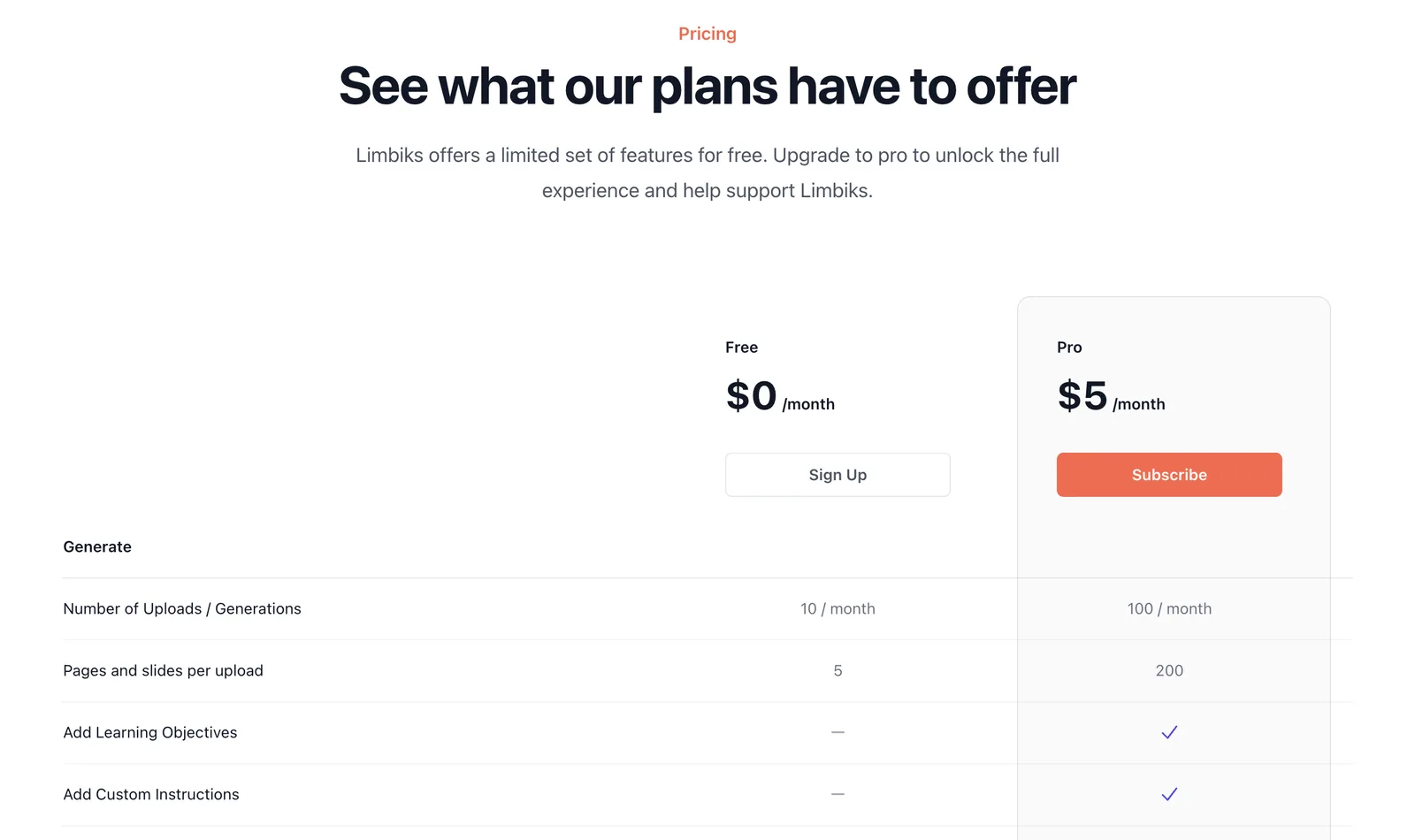
| Limbiks | Study material; flashcards, multiple choice, image occlusion | PDFs, slides, documents, images, YouTube, Wikipedia1 | 10 uploads a month; Pro $5 a month5 | Download; sync to Anki1 |
| StudyCards AI | Study material; question-and-answer and cloze cards | PDFs up to 50 MB; PowerPoint and Word saved as PDF first2 | First deck free; Basic $4.99 a month for 25 decks2 | Anki .apkg on every plan2 |
| Brainscape | Study material and ready-made decks | PowerPoint, PDF, Word, Excel, Anki decks, YouTube, photos6 | AI makes "100s" of cards free; Pro, at $7.99 a month on the yearly plan, makes unlimited cards7 | Pro only, as spreadsheet files8 |
| Quizlet | Study sets | Typed, pasted or uploaded notes; recorded or uploaded lectures9 | Free app with in-app purchases; the listing doesn't say which AI features are free9 | Text copy of sets you made, without images10 |
| Atlas | Students | PDFs, slides, videos, audio, Word documents, notes, YouTube11 | Free for students11 | Not mentioned on the page11 |
| RemNote | Notes with built-in flashcards and spaced repetition | Notes, pasted text, PDFs, lecture slides, web pages12 | 250 AI credits a month; Pro $8 a month billed yearly13 | Not mentioned on the pages we read1213 |
A general generator is the better tool when you study a subject. If you have lecture slides on cell biology, you want questions about the content, and StudyCards AI writes question-and-answer or cloze cards and hands you an Anki file.2 If your notes are full of labeled diagrams, Limbiks builds image-occlusion cards from them.1 Memo, another study tool, links each card back to the exact page or timestamp it came from;14 Kardo's cards don't link back to their source.
Kardo is the better tool when the material is the language itself. The general generators we read don't put a translation into your language on the card, and none of their pages describes a bot that joins your video call and sends the cards afterward. Kardo also schedules every card for review in both directions, from the language you're learning into yours and back, and skips words you already have when you add a new source.
Kardo or ChatGPT
ChatGPT and other chatbots can make flashcards. Paste a text, ask for the new words with a translation and an example each, and ask for the result as a tab-separated list: Anki can import a text file in that format.15 For one article, that works well.
The rest stays with you. A lesson recording or a video has to become text before the chat can read it. You copy the result into a flashcard app, remove the words you already have, and keep the review schedule in that app, because a chat schedules nothing. Kardo does those steps for you: the bot or the import takes the source as it is, known words are skipped, and reviews start right away.
Kardo runs on a large language model too, so it has the same limitation: the model writes the examples itself and can get a translation wrong. You can edit any card during review.
Questions
Is there a free AI flashcard maker? Yes, several. Kardo's free plan includes 3 recorded lessons, monthly allowances for every other source and room for 1,000 cards. Limbiks gives 10 uploads a month, StudyCards AI one free deck, Brainscape "100s" of AI cards, and Atlas is free for students.52711
Can I make flashcards from a PDF for free? In Kardo, a PDF up to 10 MB with selectable text counts as one of your 20 free text imports a month. If a scanned PDF has no selectable text, Kardo asks you to upload photos of the pages instead.
Can ChatGPT make flash cards? It can write them as text for you to import into a flashcard app. It doesn't schedule reviews, and it knows which words you already have only if you paste your deck into the chat.
Can I move my Kardo cards to Anki? Yes, as a tab-separated text file, which Anki imports.415 Your Kardo review history stays in Kardo. Going the other way, an Anki deck moves into Kardo without its review history; what moving off Anki costs compares the options.
Is there a Kardo app for iPhone? It is coming soon to the App Store. Until then Kardo runs in the browser at kardo.cards.
What does a finished deck look like? Our ready-made decks show the same card shape with hand-checked examples, for instance 12 Spanish phrases for talking about work, which you can copy into Kardo.
Sources
-
Limbiks, home page (read 4 November 2026): https://www.limbiks.com/ ↩︎ ↩︎ ↩︎ ↩︎
-
StudyCards AI, home page (read 4 November 2026): https://studycardsai.com/ ↩︎ ↩︎ ↩︎ ↩︎ ↩︎ ↩︎
-
Kardo, pricing: https://kardo.cards/pricing ↩︎ ↩︎
-
Kardo, exporting your flashcards: https://kardo.cards/blog/export-flashcards-anki-csv ↩︎ ↩︎
-
Limbiks, pricing (read 4 November 2026): https://www.limbiks.com/pricing ↩︎ ↩︎
-
Brainscape, home page (read 4 November 2026): https://www.brainscape.com/ ↩︎
-
Brainscape, pricing (read 4 November 2026): https://www.brainscape.com/pricing ↩︎ ↩︎
-
Brainscape Help, exporting a backup of your flashcards (read 4 November 2026): https://brainscape.zendesk.com/hc/en-us/articles/115002383872-How-can-I-export-a-backup-of-my-flashcards ↩︎
-
Quizlet, App Store (US) (read 4 November 2026): https://apps.apple.com/us/app/quizlet-ai-study-flashcards/id546473125 ↩︎ ↩︎
-
Quizlet Help, exporting your sets (read 4 November 2026): https://help.quizlet.com/hc/en-us/articles/360034345672-Exporting-your-sets ↩︎
-
Atlas, AI flashcard maker (read 4 November 2026): https://www.atlas.org/features/ai-flashcards-maker ↩︎ ↩︎ ↩︎ ↩︎
-
RemNote, AI flashcard maker (read 4 November 2026): https://www.remnote.com/feature/flashcard-maker ↩︎ ↩︎
-
RemNote, pricing (read 4 November 2026): https://www.remnote.com/pricing ↩︎ ↩︎
-
Memo, home page (read 4 November 2026): https://www.memo.cards/en ↩︎
-
Anki manual, importing text files (read 4 November 2026): https://docs.ankiweb.net/importing/text-files.html ↩︎ ↩︎
Kirill Oleinichenko
Make a deck from something you already have
Paste a text, a video link or a few screenshots, and look at the cards before you decide anything. The free plan includes 20 text imports and 20 video imports a month.
Start free